Creating a home office that is both comfortable and productive can make a significant difference in your work-from-home experience. A well-designed workspace helps minimize distractions, supports good posture, and keeps your motivation high throughout the day. Whether you’re just setting up a new office or looking to improve your current one, these tips will guide you to create a space that works well for you.
Choose the Right Location
Selecting the best spot in your home is the first step. Ideally, your home office should be in a quiet area with minimal foot traffic to reduce distractions. Consider a room with a door you can close to signal work time and help separate your professional and personal life.
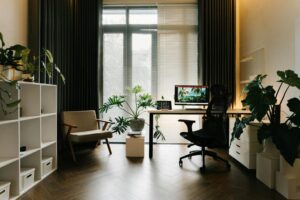
If space is limited, look for a nook or corner where you can set up your desk. Natural light is a great bonus, so try to position your desk near a window. This not only improves mood but also reduces eye strain.
Invest in Ergonomic Furniture
Comfort plays a huge role in productivity. Invest in a good quality chair that supports your lower back and promotes good posture. Your desk should be at a height that allows your forearms to rest parallel to the floor when typing.
Consider adjustable desks or sit-stand desks if possible. Changing positions during the day helps reduce fatigue and can improve focus. Ergonomic accessories like keyboard trays, mouse pads with wrist support, and monitor stands can also make a big difference.
Organize Your Workspace Efficiently
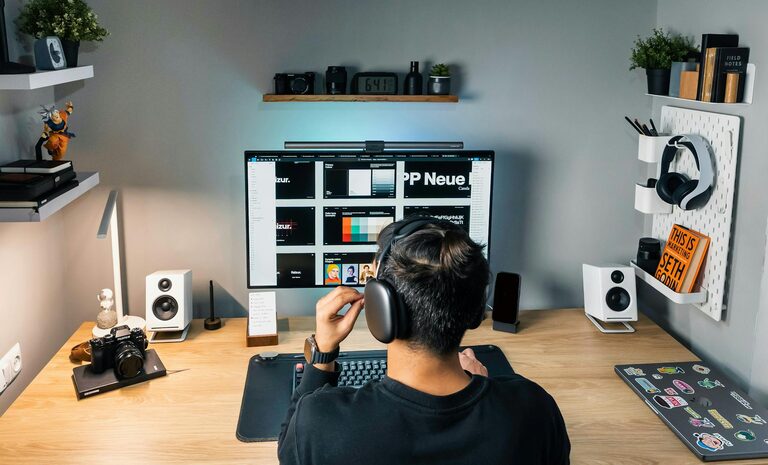
Clutter can be distracting, so keeping your workspace organized is essential. Use drawers, shelves, or filing cabinets to store documents and supplies neatly. Desk organizers can keep pens, notepads, and other essentials within reach without taking over your workspace.
Label storage bins or folders to quickly find what you need. If you prefer digital files, ensure your computer desktop and folders are organized logically to save time searching for files.
Optimize Lighting
Proper lighting reduces eye strain and creates a pleasant working environment. Ideally, use a combination of natural light and task lighting.
Place your desk near a window if possible, but avoid direct sunlight blinking on your screen. Use adjustable desk lamps with soft, warm light to brighten your workspace without glare.
If your room lacks natural light, consider full-spectrum bulbs that mimic daylight to keep you alert.
Minimize Distractions
Identify anything in your office space that might distract you and try to reduce it. This could include turning off notifications on your phone, using noise-canceling headphones, or placing a “Do Not Disturb” sign during work hours.
If background noise is unavoidable, consider playing soft instrumental music or white noise to help maintain focus.
Personalize Your Space
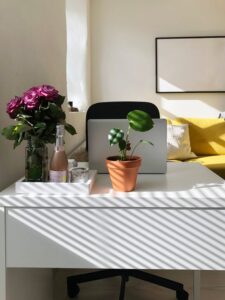
Adding personal touches can make your office feel welcoming and inspiring. Photos, plants, artwork, or motivational quotes can boost your mood and creativity.
However, keep personalization balanced to prevent clutter. Choose a few meaningful items rather than overcrowding your desk.
Manage Cable Clutter
Wires and cables from your computer, phone charger, and other electronics can create a messy look. Use cable organizers, clips, or sleeves to keep cords tidy and prevent tangling. This will not only improve the appearance but also reduce the risk of tripping or accidental unplugging.
Set Up Technology Efficiently
Ensure your computer, printer, and other devices are set up for easy access and use. Test your internet speed and connectivity to avoid frustration during virtual meetings.
Consider investing in a good headset or microphone if your work involves frequent video calls. Keep necessary software and security updates current to protect your data.
Maintain a Comfortable Temperature and Air Quality
Temperature and fresh air affect concentration and comfort. Use a fan or heater to keep the room at a comfortable temperature. If possible, open a window to allow fresh air circulation or add an air purifier to improve air quality.
Plants can also help freshen the air and add a calming presence to your workspace.
Establish a Routine and Clear Boundaries
Having a dedicated home office space supports working within set hours. Start your day by organizing your desk and creating a to-do list.
Communicating your work schedule to family or housemates helps minimize interruptions. When your workday ends, leave your office space or close your laptop to signal the end of work and transition to relaxation.
Keep Your Workspace Clean
Regularly cleaning your office space keeps it inviting and reduces allergens. Wipe down surfaces, dust shelves, and vacuum or sweep floors weekly.
A clean space helps maintain focus and supports overall well-being.
—
Creating a comfortable and productive home office is about combining good design, organization, and personal comfort. With these tips, you can transform your workspace into a place where you feel motivated, focused, and ready to tackle your workday.